Promotions
The Promotions Page will allow you to view a list of existing sales promotions. The promotions highlighted in yellow with the circle “a” next to them indicate that the promotion is to auto-apply if the set criteria are met at the cart level. For example, users can set up auto-apply discounts that are tied to customer groups (such as Veterans or Medical Customers) or products (such as an Inventory Type or Brand).
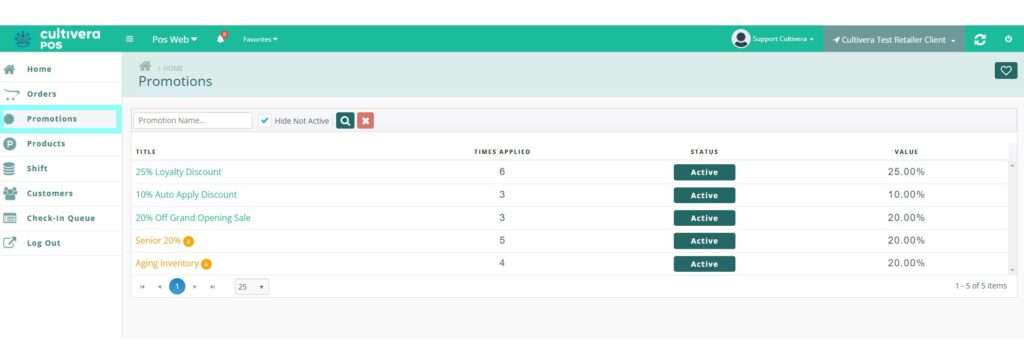
Clicking on the name of a promotion will show the Promotion Detail page. Here you can view the properties of the promotion including which products, customers, or brands the promotion applies to.
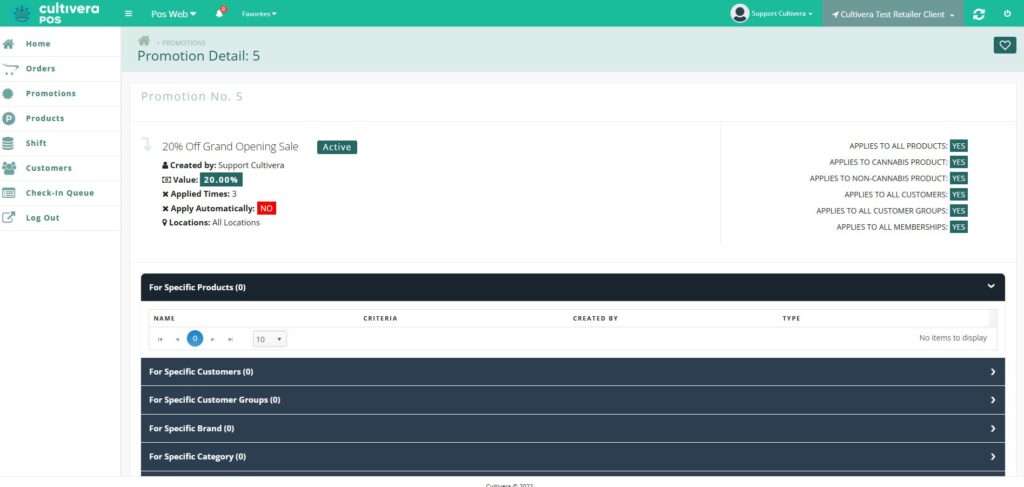
Discounts and Promotions cannot be added or edited from POS Web.
Navigate to the Marketing Module Course to learn more.